DS Studio
Signage, homemade.
DS Studio is the editor for your signage content: design layouts, schedule content, feed displays – browser-based and without the agency detour.

From playlist to event-driven system
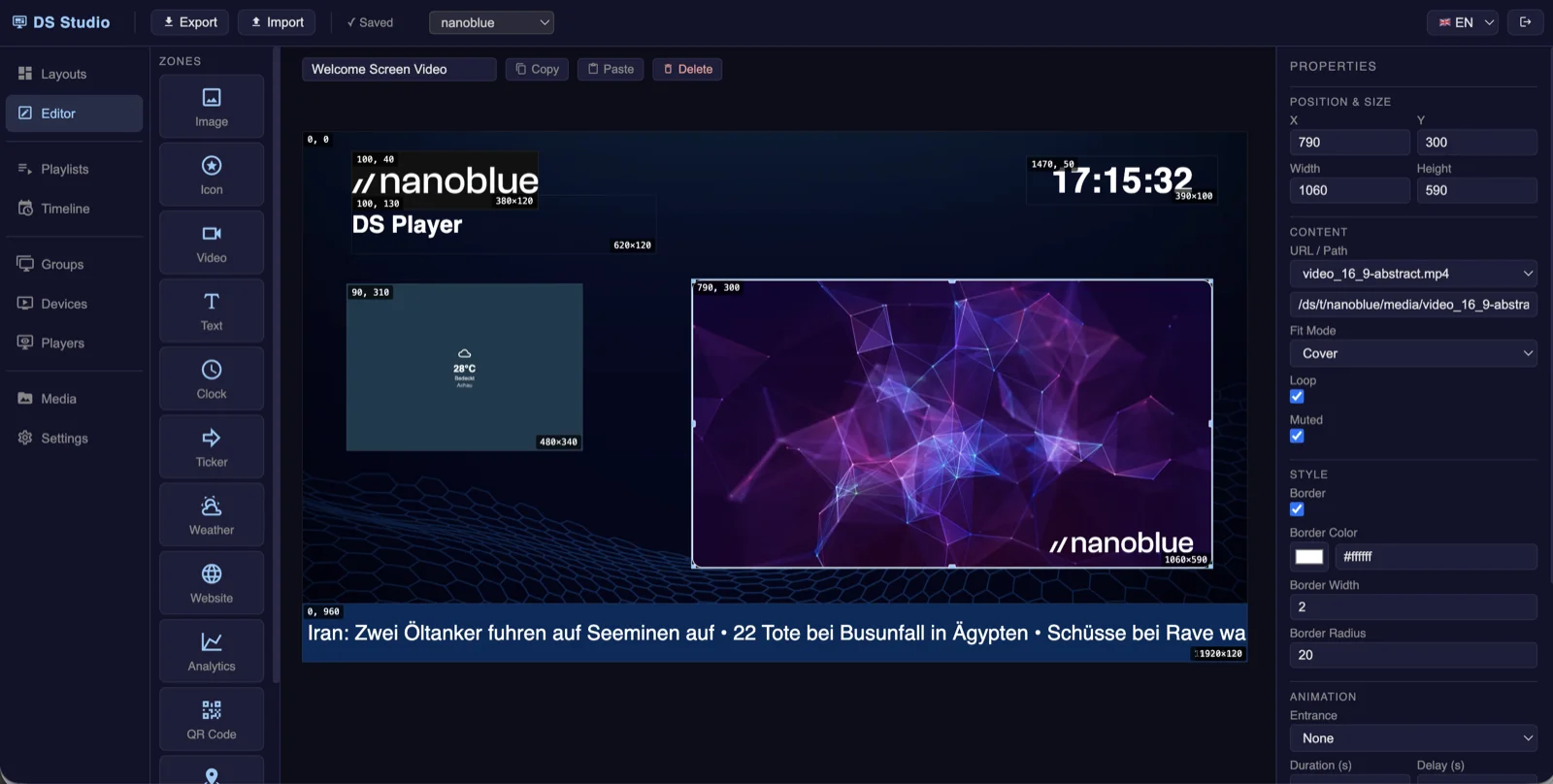
With DS Studio, signage layouts are created directly in the browser: text, images, videos, weather, news tickers, web pages or live data – freely combined, in your own design, in Full HD and native 4K. Dynamic content is possible too: maps with live positions, or automatically generated QR codes – for Auracast streams and documents, for example.
The special part: layouts can be transferred to the players without appearing in any playlist – they are called purely event-driven from the function logic. The playlist pauses, the layout appears, then playback continues right where it left off. Digital signage evolves from a pure playback solution into an event-driven information system.
What's inside
Layout editor
Free layouts with text, media and live elements – designed in the browser, in Full HD and 4K.
Event-driven layouts
Layouts without a playlist entry – triggered by sensors, buttons, API or function logic; the playlist resumes afterwards.
Live data
Weather, clock, maps with live positions, dynamically generated QR codes and your own data sources.
Playlists & schedules
Switch content automatically by time of day, weekday or event – portrait or landscape per player.
Display control
Switch displays on and off automatically – via HDMI-CEC, IP or RS-232.
Offline-capable
Content is synchronized to the players – playout continues even without a cloud connection.