
Media Studio
The right content. At the right time.
With Media Studio you schedule video and image content for your nanoblue Media Players centrally in the browser – at the right time on the right screen, for one player or for hundreds.

Plan in the calendar, play on the player
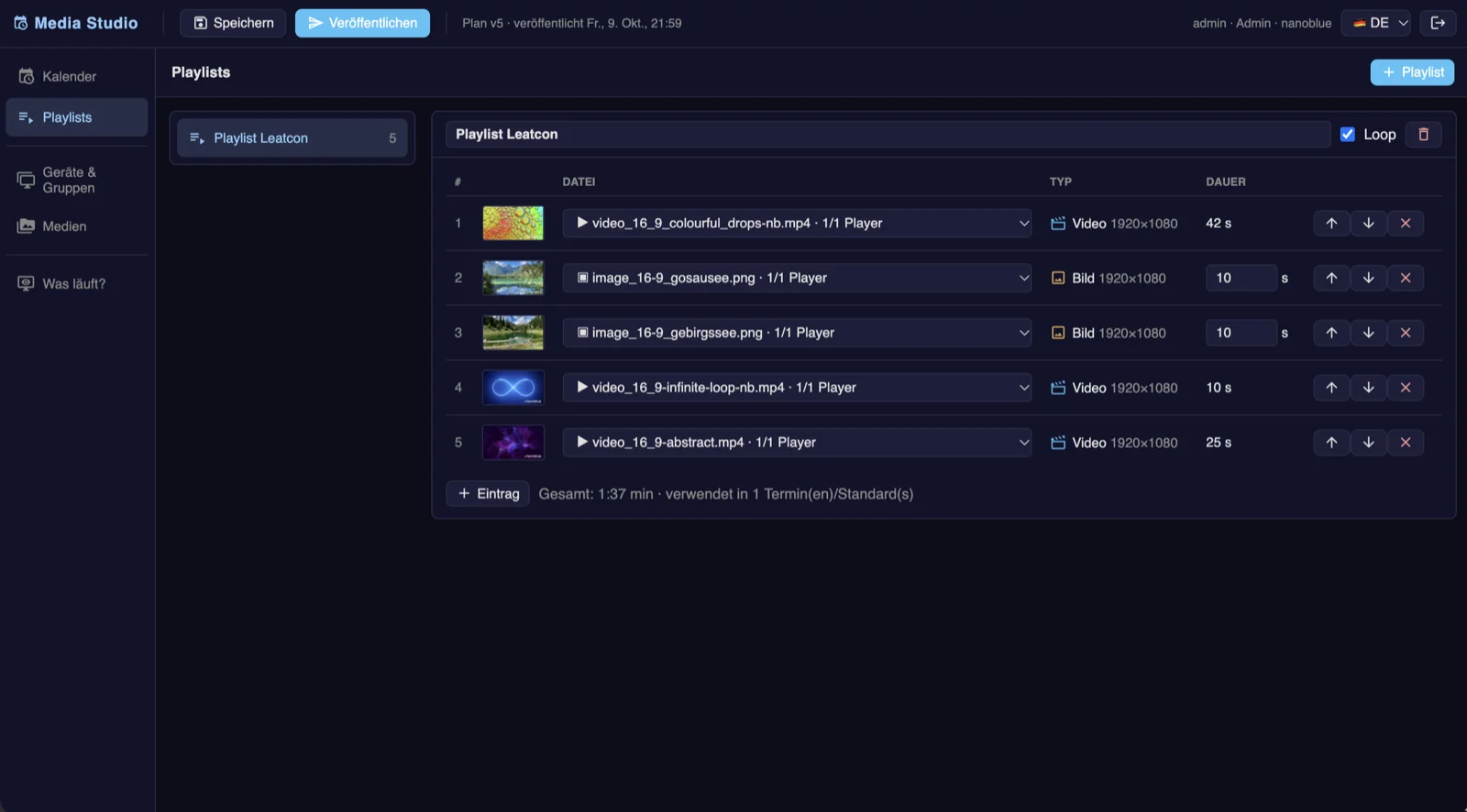
Planning happens in the calendar via drag-and-drop: one-off and recurring events, holidays, priorities. Playlists of videos and images get their volume per event, players are managed in groups – one click on “Publish”, done. The central media library handles uploads, preview thumbnails and automatic conversion to the right resolution; distribution to all players is automatic and checksummed. Before anything plays, Media Studio checks every item against the actual screen – portrait or landscape, resolution, codec – before something runs wrong. The live status always shows: what is playing right now, what comes next, is every player up to date?
And if the network goes down? The players keep playing their schedule on their own – and after a restart, playback continues at exactly the right position. Playback is full screen via HDMI with hardware decoding. Media Studio runs on the nanoblue Cloud Server, seamlessly integrated into the nanoblue portal, in German, English and Spanish. Ideal for foyers, showrooms, trade fairs, museums – and anywhere content needs to run on a schedule.
What's inside
Drag-and-drop calendar
One-off and recurring events, holidays and priorities – the weekly schedule comes together in minutes.
Playlists & volume
Playlists of videos and images, volume per event – from a whisper in the foyer to trade-fair level.
Groups & publishing
Manage players in groups, one click on “Publish” – distribution to all players runs automatically, with checksums.
Central media library
Uploads with preview thumbnails and automatic conversion to the right resolution – upload once, use everywhere.
Content check
Every item is checked against the actual screen – portrait or landscape, resolution, codec – before something runs wrong.
Offline-safe
Players keep playing their schedule on their own and resume at exactly the right position after a restart – full screen via HDMI with hardware decoding.