UI Studio
Your interface. Your design.
With UI Studio you design user interfaces for touch panels, tablets and browsers – by drag and drop, in your own corporate design, without a single line of code.
Building interfaces – as easy as designing a presentation
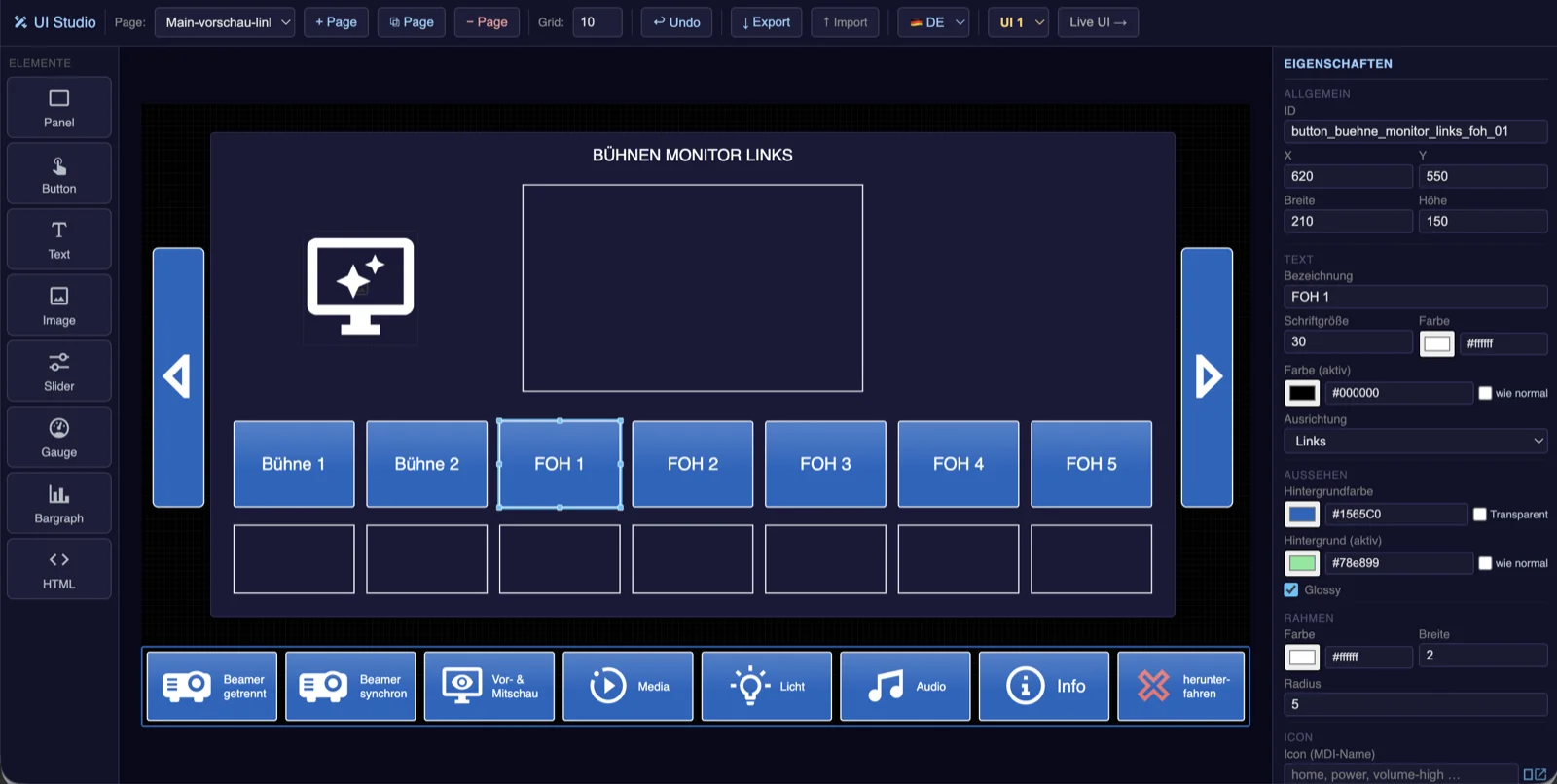
UI Studio runs directly on every nanoblue device – no software installation, a browser is all you need. Create pages, place buttons, sliders and status indicators, assign actions – done. Every element is directly linked to the control logic and shows the real state of the room, live.
Projects can be exported, imported and reused from room to room. And via the optional Cloud Server you work remotely: create, adapt and maintain interfaces – no VPN, no remote desktop, no travel time.
What's inside
Drag & drop editor
Design interfaces visually – buttons, sliders, status, page navigation; with live preview and grid snapping.
Directly on the device
UI Studio runs locally on controller and player – no installation, a browser is enough.
Live states
Elements show the real device status in real time – not just the last tap.
Corporate design
Colors, logos and layouts fully customizable – your brand, your panel.
Export & import
Export, import and reuse projects – from room to room.
Remote access
Create and adapt via the Cloud Server from anywhere – no VPN, no site visit.