Presenter
One click. And the clip is on.
nanoblue Presenter turns a Media Player into a clip player for live operation: videos, images and graphics wait in palettes and go out over HDMI at a click, from the keyboard or a Stream Deck – no separate playback PC required.
For galas, conferences, stages and trade shows
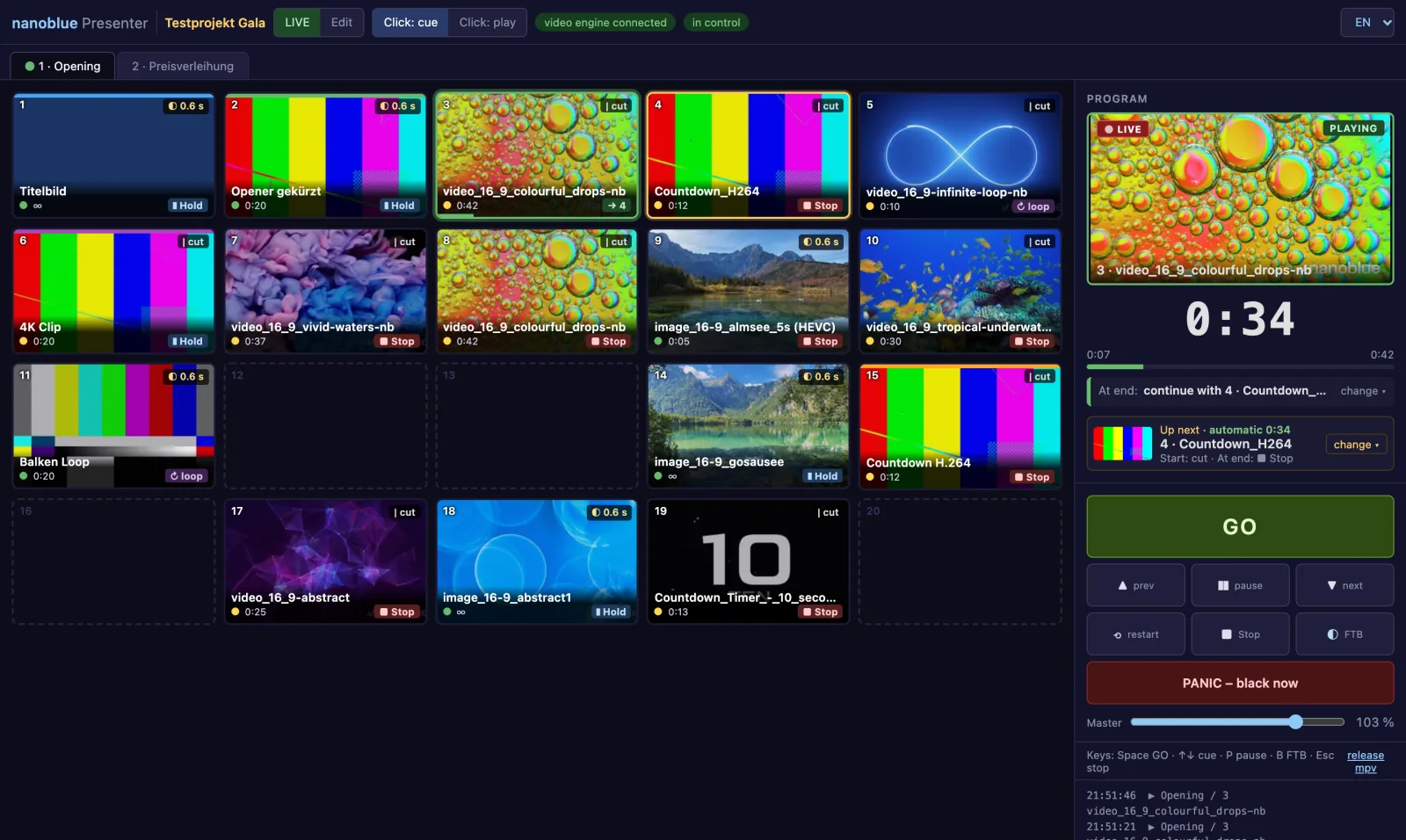
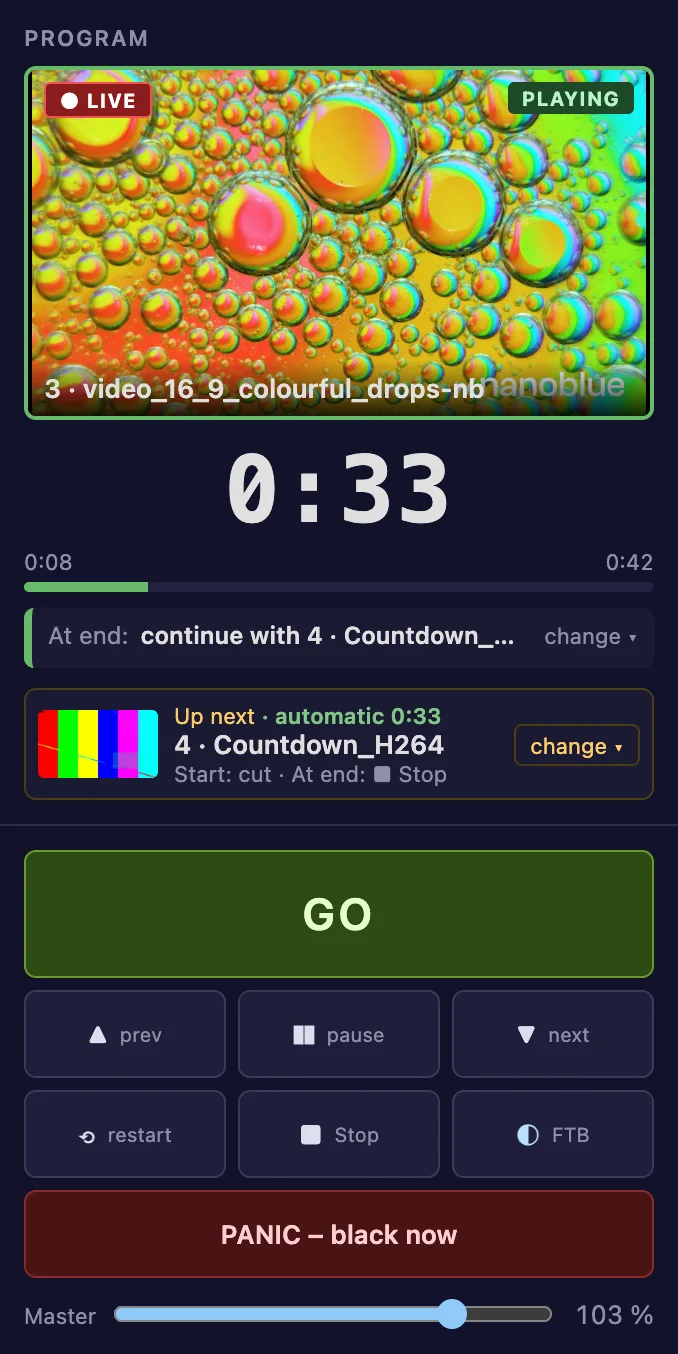
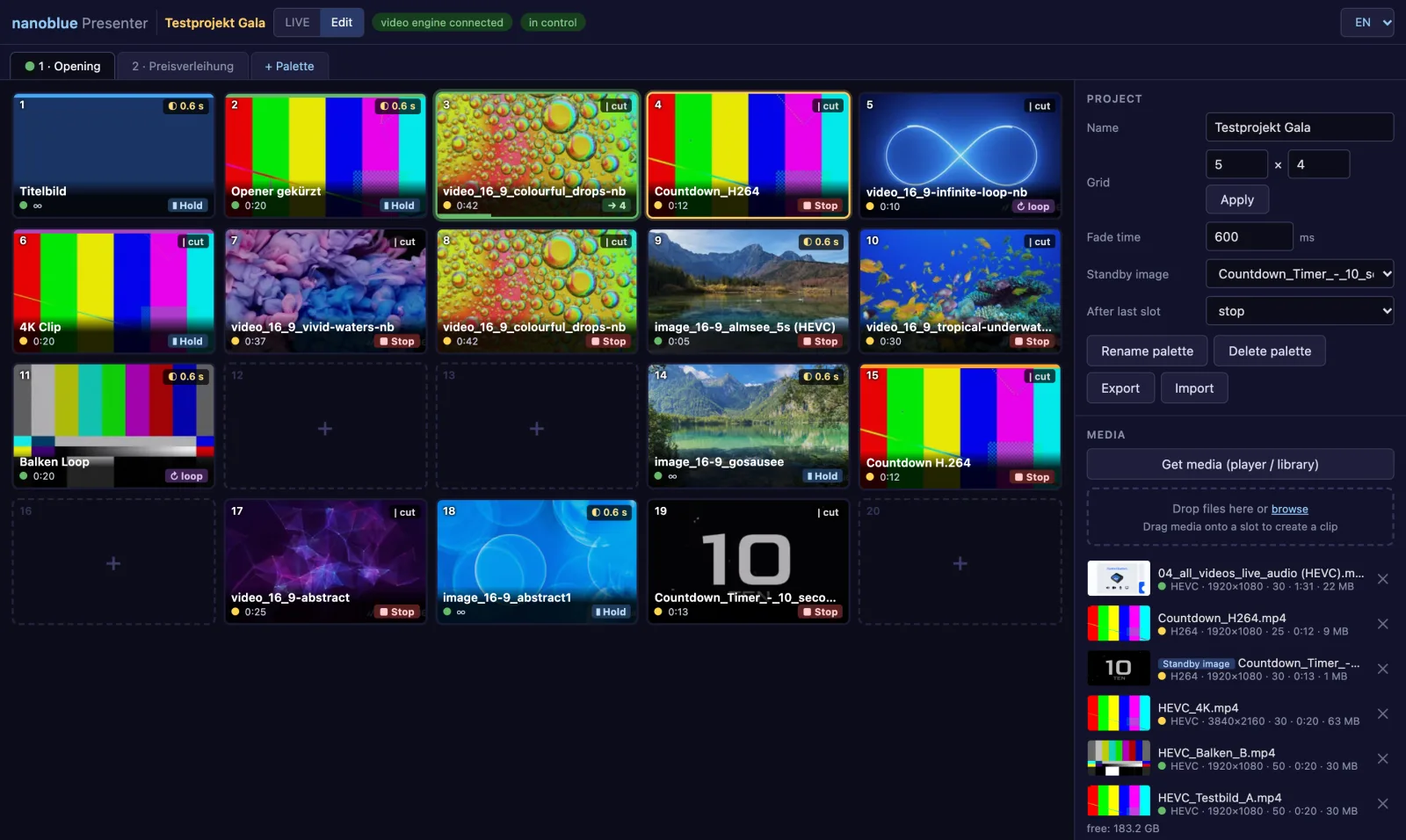
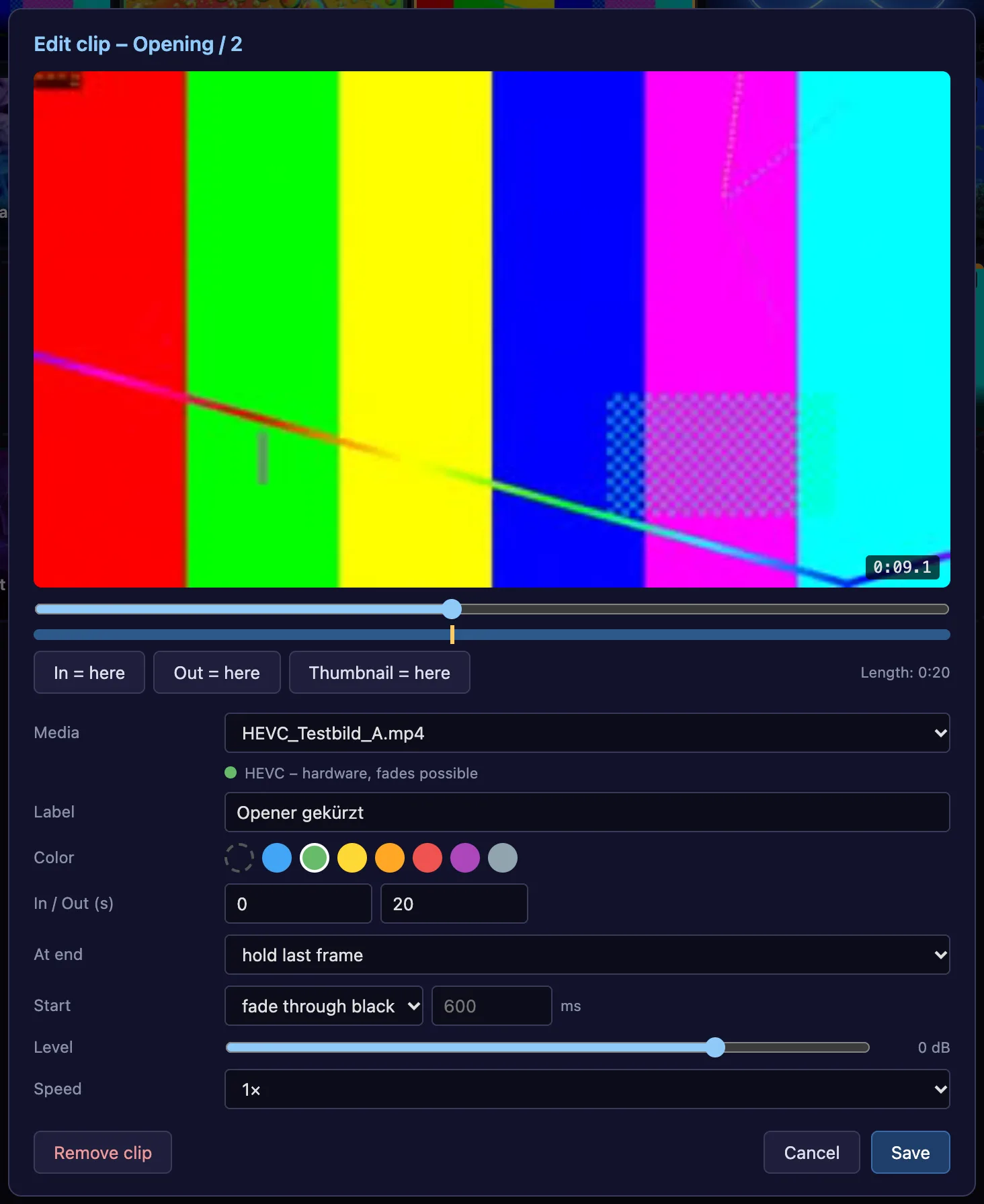
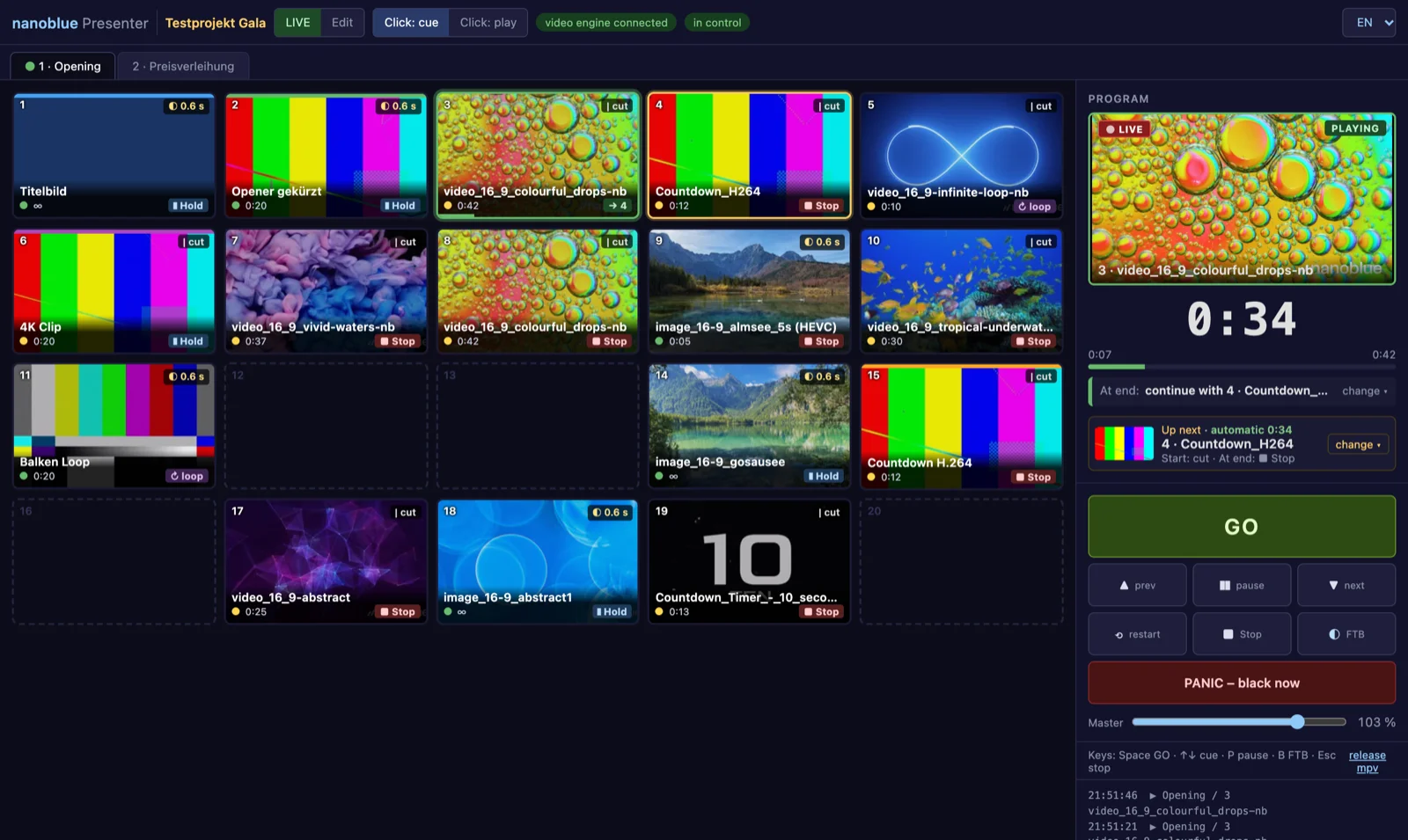
Stingers at the gala, walk-in and break loops, countdowns, nominee clips or graphics feeding the video switcher: in Presenter, all media sit ready in up to 20 palettes with a freely selectable grid – with colours, labels and thumbnails, plus gaps to group blocks visually. GO starts the cued clip, a large remaining-time display warns in yellow and red before the end, and Fade to Black or PANIC are always just one click away. For each clip you decide whether it starts with a cut or a fade and what happens at the end: stop, hold the last frame, loop or start the next slot automatically – building complete sequences and slideshows.
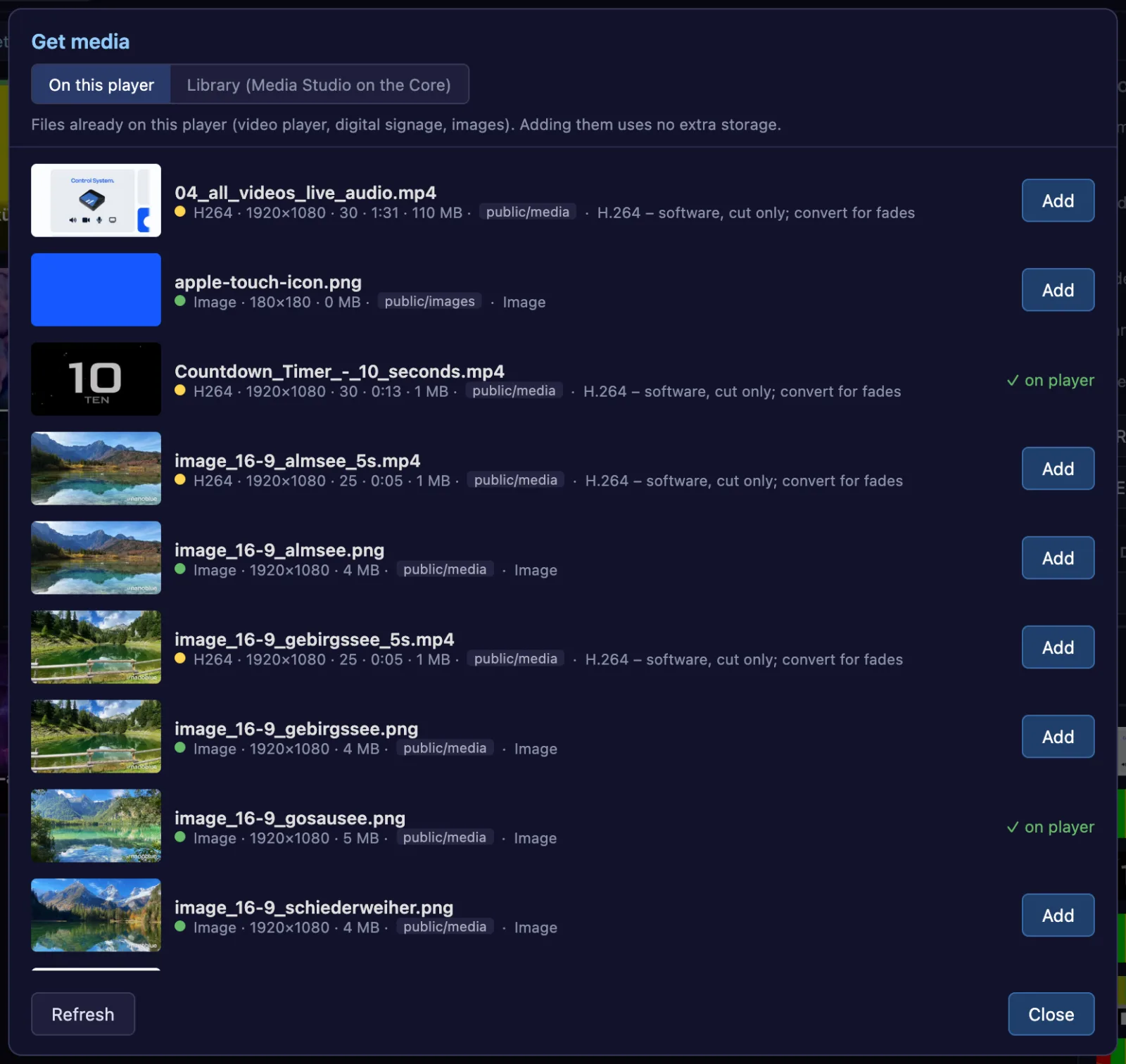
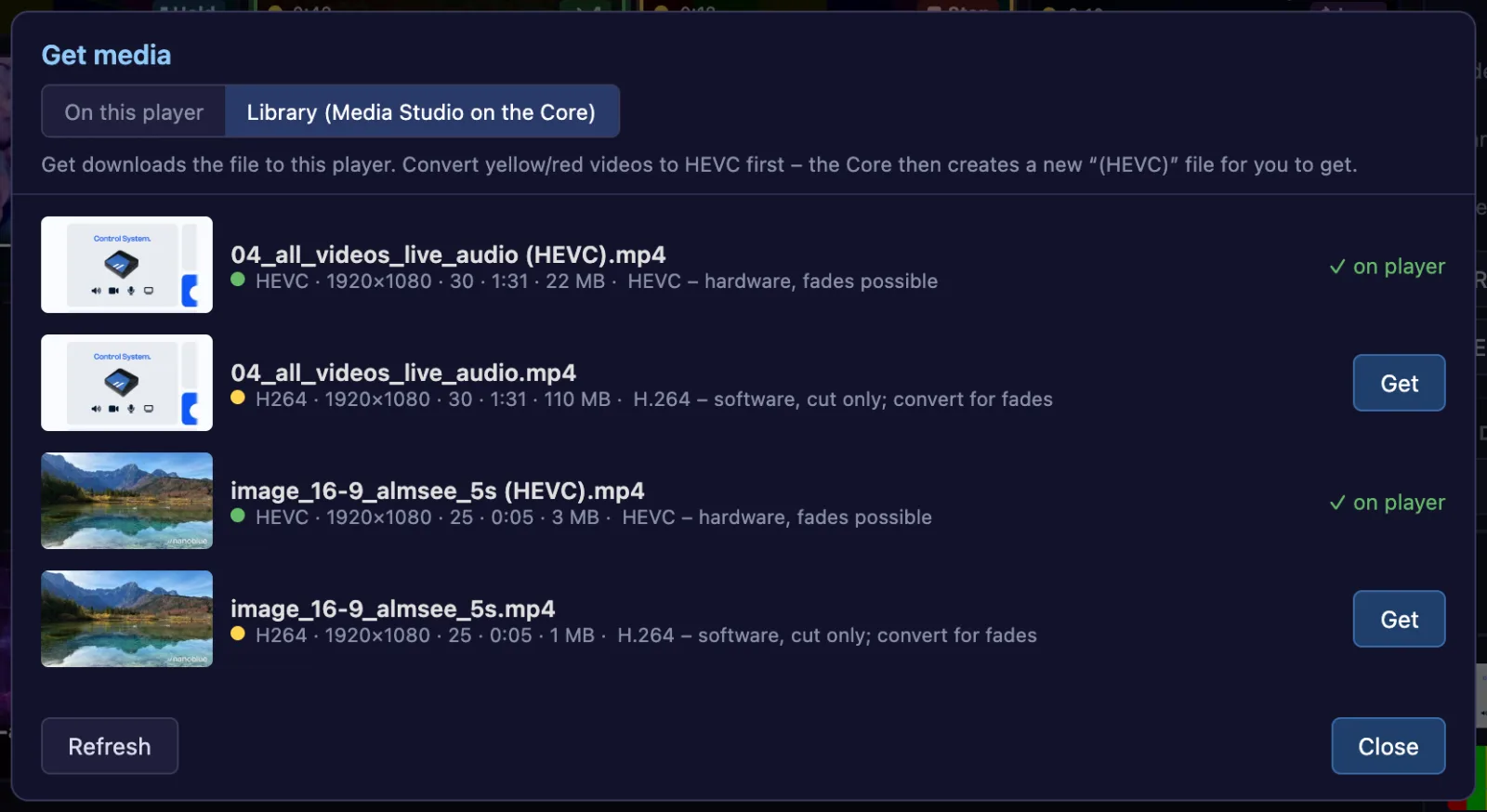
Operation runs in the browser – on a laptop, tablet or control-room PC, in the local network or via the nanoblue Portal, and several operators see the same live state. Playback runs directly on the Media Player with hardware decoding up to 4K; project and media are stored on the device, so no internet connection is needed during the show. Media arrive by drag-and-drop, straight from the player or from the Media Studio library, optionally converted to the optimal format on the way; a traffic light shows in advance how well each file will play. And when nothing is playing, the output shows your standby image – the event logo, for example.
What's inside
Palettes & slots
Up to 20 palettes with up to 64 slots, colours, thumbnails and gaps – filled by drag-and-drop, exportable and importable as a project.
Live operation
GO, previous/next, pause, stop, Fade to Black and PANIC – large remaining-time display, level per clip in dB plus master, keyboard shortcuts for everything.
Transitions & end
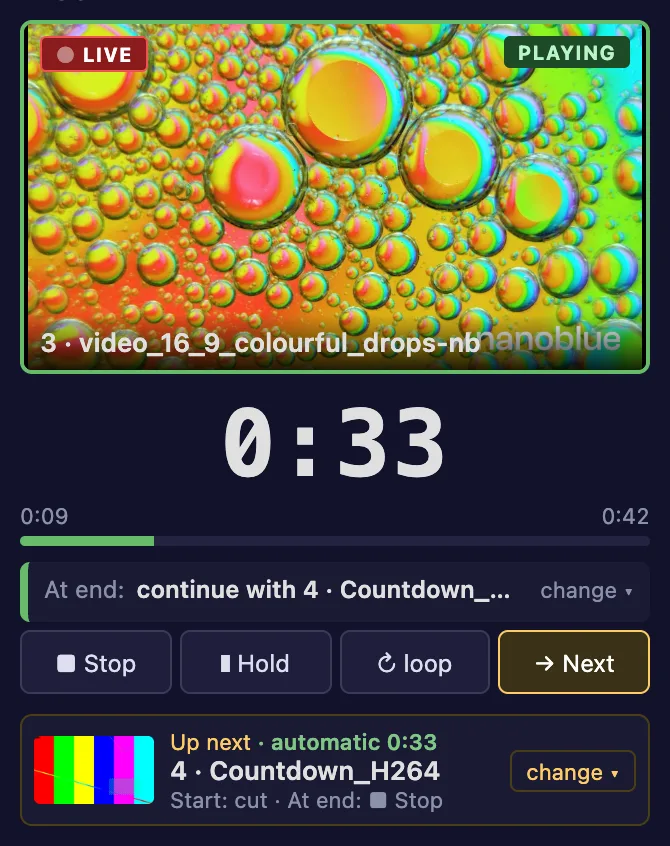
Cut or fade through black; at the end stop, hold, loop or start the next slot – visible at a glance on every slot.
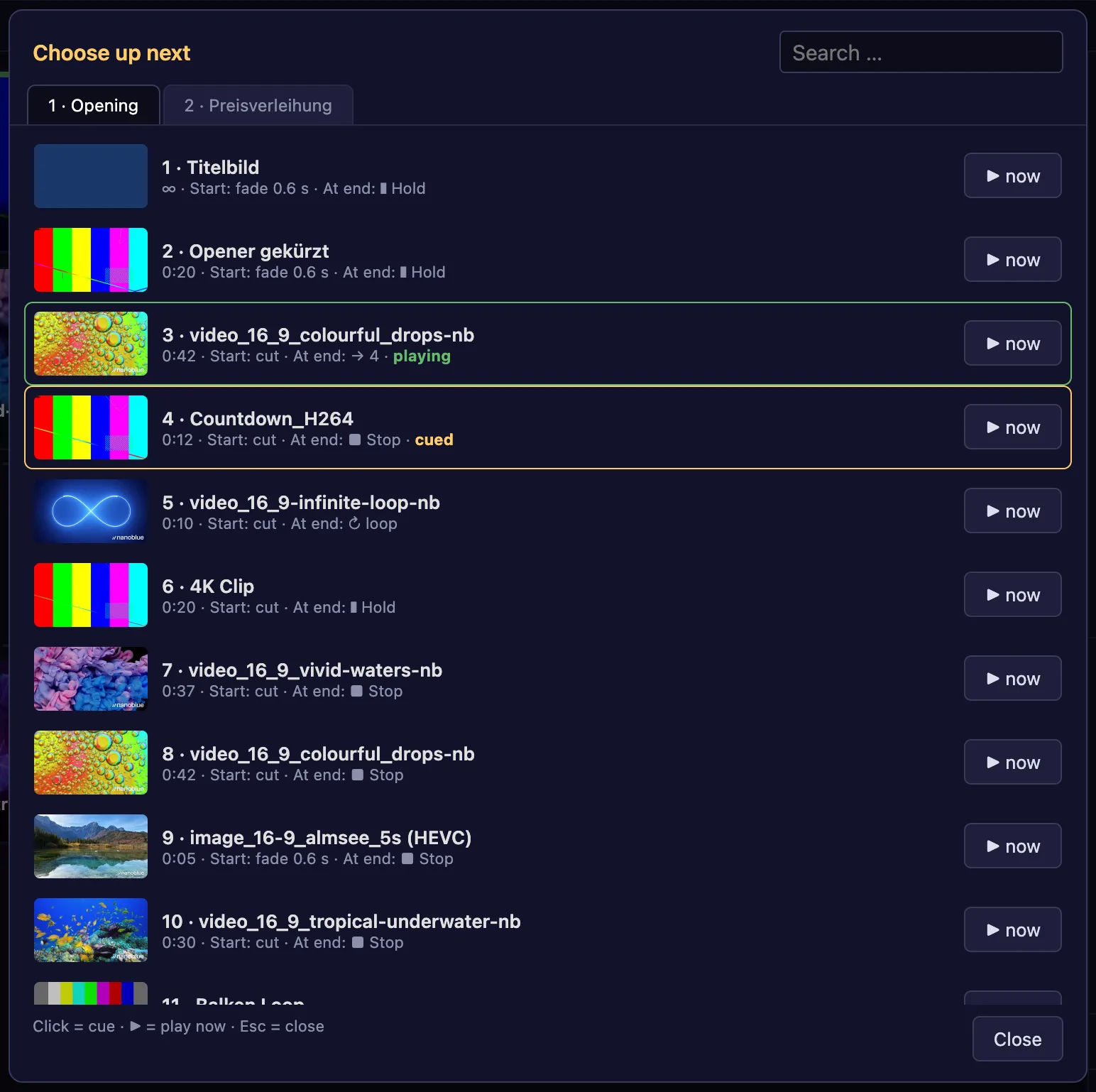
Change “Up next” live
Pick from all palettes with search – the running clip plays on undisturbed, and its end action can be changed for this run only.
Media with traffic light
Upload by drag-and-drop, take over files already on the player or fetch them from the library and convert to HEVC – the traffic light shows what plays smoothly.
Stream Deck & automation
Operate via Companion and Stream Deck; Show Studio, buttons or schedules control Presenter directly on the device.
A look at Presenter